A desktop SSH client for Linux that installs nothing.

An AppImage you download, mark executable and run — no repository to add, no daemon to register, nothing dropped into /usr. Inside it is the same native core as every other build: libssh2 and OpenSSL, our own Mosh and Eternal Terminal clients, libvterm parsing and a C renderer on FreeType and HarfBuzz.

AppImage and tar.gz — publishing… See pricing

Free for one server. No account, no card, no catch.

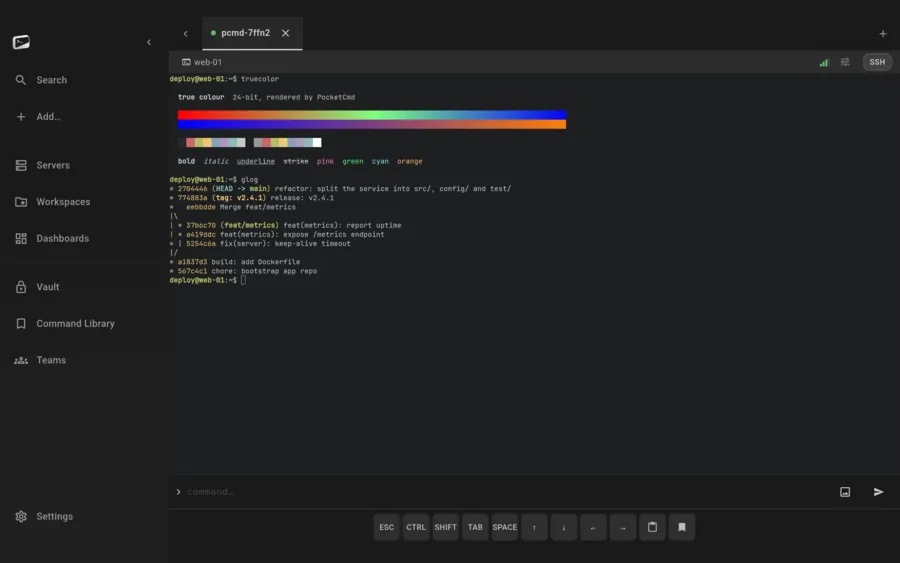
PocketCmd on Linux: a terminal showing a true-color gradient and a colored git graph
Requires
x86_64, glibc 2.35 or later
Channel
AppImage and tar.gz
Tested on
Ubuntu 22.04, Debian 12, Fedora 36+
Integrity
GPG-signed checksums

Built for Linux.

Verify it before you run it.

Every release ships GPG-signed checksums, so you can confirm the binary is the one we built before you give it your SSH keys. For a program that holds the credentials to your fleet, that check should be the default, not a nicety.

A terminal that renders like one.

Vendored libvterm does the parsing and a C renderer on FreeType and HarfBuzz does the drawing, so ligatures, combining marks and 24-bit color come out right and a fast scroll stays smooth. It is the same renderer as the phone build, compiled for a different target.

The vault uses the TPM when the box has one.

Where TPM 2.0 is available the device vault key is sealed in it; where it is not, the app uses a software key and says so in its own audit. Either way the app password is stretched with Argon2id and the database is SQLCipher, so nothing sits on disk in the clear.

The server it pairs with is Linux too.

The optional companion server is one static Go binary with no dependencies that installs itself as a systemd service on first run. Same machine or a different one — it holds your encrypted vault, watches metrics and pushes alerts, and it cannot read any of it.
What this build does, and what it doesn't.

A handful of capabilities depend on what the operating system hands us. Rather than scatter them through the page and qualify them in the footnotes, here is the honest split for Linux.

On Linux

  • The desktop shell: sidebar, tabs, right-click
  • TPM 2.0-sealed vault key where available
  • AppImage — no install, no repository
  • GPG-signed checksums on every release
  • Drag-and-drop upload

Not on Linux

  • Biometric app unlock — the lock is your password
  • Push alerts while the app is closed (iOS and Android only)
  • Camera QR pairing — Linux pairs by pasting the URL
  • In-app web preview — no Linux web view implementation

Everything else is the same app.

One codebase with a native C core builds all five platforms, so the parts that matter are not a tier list. These are identical on your Linux desktop and on everything else you run it on.

  • SSH, Mosh, Eternal Terminal and Telnet
  • The native C terminal renderer, 24-bit color
  • tmux auto-attach and live session state
  • The full SFTP file manager
  • Workspaces with the tabbed code editor
  • Multi-hop ProxyJump and port forwarding
  • Dashboards over SSH, no agent to install
  • The encrypted secrets vault
  • Snippets and the command library
  • No account, no telemetry, no relay

Linux questions.

More in the general FAQ and the documentation.

Which distributions does PocketCmd support?

Anything x86_64 with glibc 2.35 or later — Ubuntu 22.04, Debian 12, Fedora 36 and newer are the ones we test against. The AppImage carries its own dependencies, so it is not tied to a package manager.

Is there an arm64 or Raspberry Pi build?

Not for the desktop app: the Linux build is x86_64 only. The companion server is a different story — it is a single static Go binary and a Raspberry Pi is a perfectly normal place to run it.

Why glibc 2.35?

That is the floor the native core and its crypto dependencies are built against. Older distributions would need a separate toolchain and a separate set of guarantees, which is a promise we would rather not half-keep.

Do I have to use the AppImage?

No. Releases ship as both an AppImage and a tar.gz, with GPG-signed checksums for each. The tar.gz is the one to use if you would rather place the app yourself.

One license, every platform.

A Pro license code covers three devices at once, on any mix of the five.

Put a server console on your Linux desktop.

Free for one server, with no account and no time limit. Pro lifts the limits.

AppImage and tar.gz — publishing… All platforms